Flower Delivery Route Planner: A Simple Daily Plan for Florists

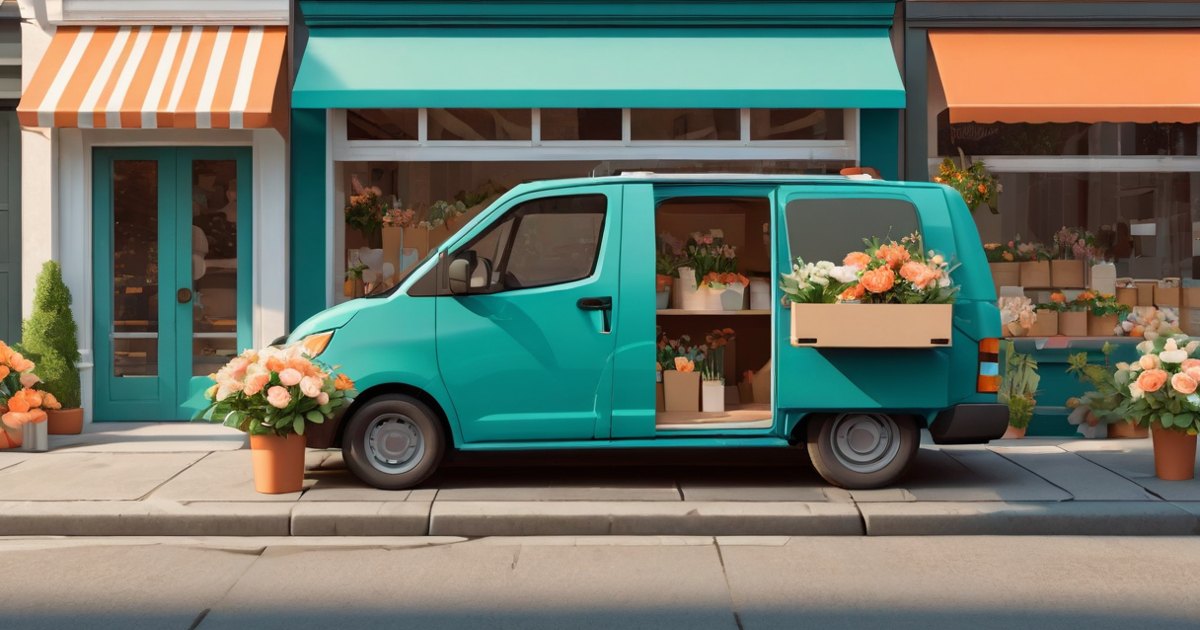
A florist with six to twenty deliveries a day does not need dispatch software. They need the quickest order for the stops, a way to keep urgent orders first, and a photo at the door. That is a route planner for one driver, and it can be free.
This guide is for flower shops, small bakeries, caterers and anyone who makes their own deliveries from one shop or home kitchen. It explains a simple daily routine, what to write in each stop's notes, and how to prove the delivery happened.
Key takeaways
- Collect the day's orders in one list, then let a route planner choose the quickest order.
- Put urgent orders first and let the rest follow; you stay in charge of the order.
- Write the door details in each stop's note (side gate, ring the bell), so the driver does not have to phone.
- Take a photo at the door as proof. It settles "it never came" calls.
- MiliRoute is free for routes of up to 10 stops, with no credit card.
What makes a florist's delivery day hard?
Orders arrive all day. A vase for the hospital goes in the same van as a birthday bunch two suburbs away and a funeral wreath that must be there by noon. Some customers are out until three. Some addresses are a unit at the back of a building.
The easy way is to drive the orders in the order they were written. The result is a van that crosses the same road three times, with fresh flowers sitting in the heat. Two things hurt a florist more than most couriers: the stock is perishable, and one missed delivery is an unhappy customer who may not come back.
How do you plan a florist's delivery day?
A routine that works for most small shops has seven steps.
- Collect the day's addresses in one list. Take them from the order book, the website and the phone notes. Type them in, or scan the printed labels with your phone camera.
- Pick each address from the suggestions. This avoids a wrong suburb. A flower that goes to the wrong street cannot be un-delivered.
- Put the stops in the quickest order. A route planner does this in seconds. MiliRoute uses Google's estimated driving times for average traffic.
- Move the urgent ones. If a delivery has to arrive first, put it first and let the others follow. In MiliRoute a stop can be set to First or Last and the rest are ordered around it.
- Write the door details in the note. Gate codes, "ring the bell", "leave with the neighbour at number 4". The note travels with the stop.
- Load the van in reverse. The last stop goes in first, so the first stop is at the door.
- Take a photo at the door. Then mark the stop delivered and move on.

What should you write in a stop's note?
A good note answers the question the driver would otherwise phone to ask. Examples of the kind of thing to write:
- "Side gate, ring the bell"
- "Reception desk, ask for the ward nurse"
- "Leave with the neighbour if no answer"
- "Customer is out until 3 pm"
- "Fragile: vase with water"
MiliRoute's stop screen also has tags such as Fragile and Signature, and a package count, so the driver sees them before reaching the door.
How do you prove the flowers arrived?
Proof of delivery is useful in a shop where each order is a person's gift. In MiliRoute, each stop can record a customer signature, a photograph or a short delivery note, and all three are optional. You can also mark a stop delivered without capturing anything.
A photo of the bouquet at the door, with the house number in the frame, is the proof most florists use. It ends the "it never came" call quickly, and it protects your driver too. The proof of delivery guide explains each option.

How many stops can a free plan handle?
For a florist with six to twenty deliveries a day, the free stop limit is the number to check. The limits we found on each company's own pricing page on 24 October 2026:
| App | Free plan |
|---|---|
| RouteMate | 5 stops per route |
| RoadWarrior | 8 stops per route |
| MiliRoute | 10 stops per route |
| Spoke Route Planner | 10 stops per route |
| Geo2 | 15 stops per route |
| MyWay Route Planner | 15 stops per route |
If your busiest day is Valentine's Day or Mother's Day, you will go past a free limit that day. Paid plans for one driver cost about US$9 to US$20 a month in those lists; MiliRoute's Premium is A$15 a month or A$140 a year, with no stop limit. The cost guide shows every price, and the pricing page shows the dated comparison.
What about busy days like Mother's Day?
On a peak day, split the work in two ways.
- By area. Give each driver, or each run, one region of the map. A van that stays in one region drives fewer kilometres.
- By time. Plan the morning run and the afternoon run as two routes and order each separately.
MiliRoute plans one route for one driver. It does not split a list across several vans, so on a peak day with several drivers you divide the list yourself, then plan each driver's share. If you want a tool that does the splitting, look at a team tool; the route planner guide compares them.

What does a better order save?
One real run shows the size of the effect. MiliRoute's optimizer was given eight well-known places in London, listed in no particular order, on 24 October 2026. The list as typed was 40.2 km and 2 hours 47 minutes of driving; MiliRoute's order was 23.9 km and 1 hour 33 minutes. Driving times are Google's estimates for average traffic.
The list was far from the best order, so a shop that already plans carefully will see a smaller gap. The only fair test is your own orders: put tomorrow's deliveries in and compare. The stops and a screenshot are on the London example.
A five-minute test for your shop
- Take tomorrow's list of orders.
- Write down the order you would have driven, and its total distance from any map.
- Put the same orders into a route planner and note its distance.
- Subtract. If the gap is small, you are already planning well. If it is large, you have found your saving.
Questions
What is the best route planner for a florist?
The best one is the one whose free stop limit covers your busiest normal day and which lets you pin urgent orders and record proof of delivery. For up to 10 stops, MiliRoute and Spoke are free; for 15, Geo2 and MyWay.
Can a route planner handle deliveries that must arrive by a certain time?
A planner orders stops by driving time. For a hard deadline, set that stop to First, so the rest are ordered around it. MiliRoute's stop screen also has an arrival time field.
How do I stop flowers wilting in the van?
Plan the quickest order and load in reverse, so you spend less time driving and less time hunting for the next bouquet. Keep the van cool and drive the perishable stops first.
Do I need a driver app and a dispatcher?
Not for one driver. A dispatcher view matters when several drivers share a list. For one van, a solo app is enough.
Is there a free option?
Yes. MiliRoute is free for routes of up to 10 stops, with no credit card, and works on Android and in a web browser.
Sources
- Each company's own pricing page, read 24 October 2026 (free stop limits)
- MiliRoute optimizer run on 24 October 2026, eight public addresses in London, Google driving-time estimates for average traffic
Last updated 28 October 2026.